
How to stop your child watching inappropriate videos on YouTube
It happens to every parent: your child finds a video you would never have picked, sometimes on a channel you thought was fine. You do not have to ban YouTube to stop it.
COONI gives you three levels: block a whole channel, hide one video and keep the channel, or block a topic everywhere so similar videos disappear too.
Step by step
Block the channel
If the whole channel is not right for kids, go to Parent Mode → Channels, find it and tap Block. None of its videos appear anywhere in Child Mode.
Or hide only that video
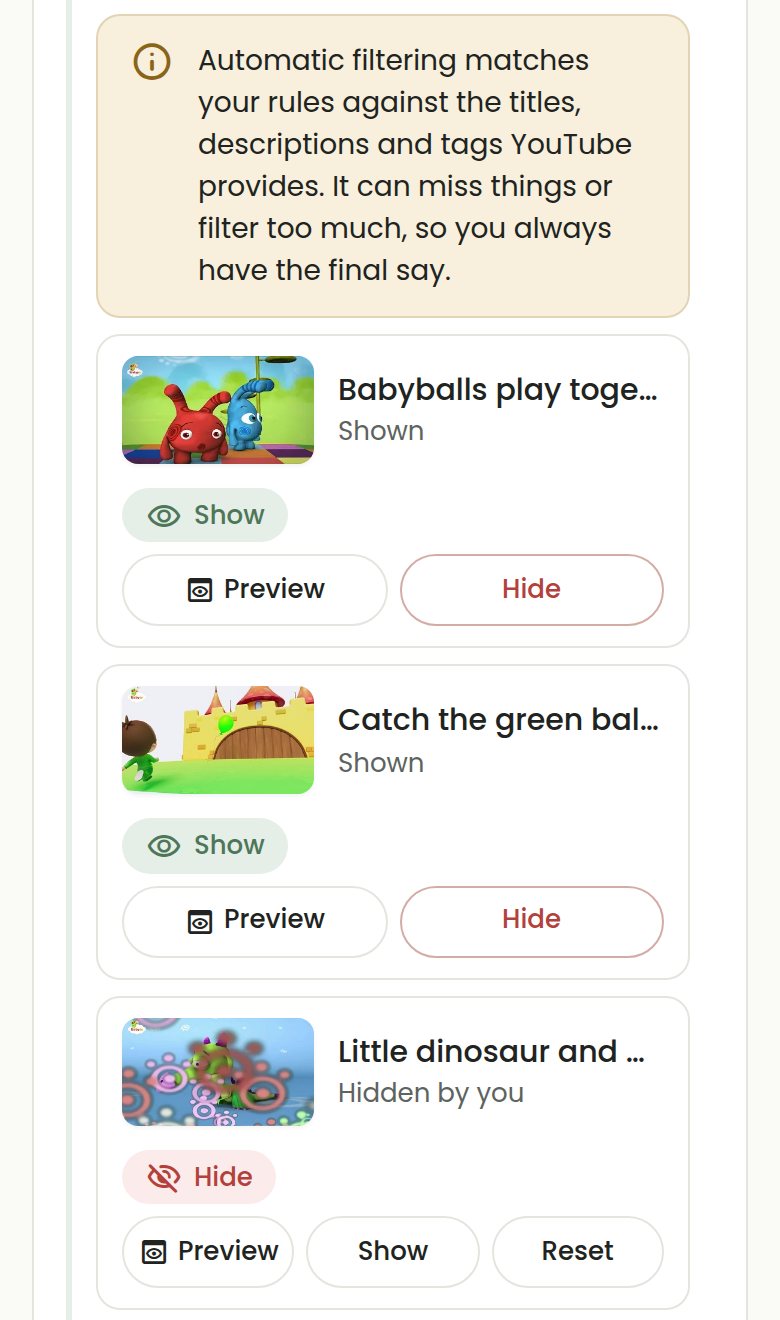
If the channel is good but one video is not, allow the channel, open "Manage videos" and tap Hide on that video. The rest of the channel stays.
Block the topic everywhere
In Parent Mode → Content, switch on the topic (for example Scary, Horror, Pranks or Dangerous challenges) so similar videos from any channel are hidden too. With COONI Plus you can also add your own words.
Turn search off if you want
In Parent Mode → Search & Recs, switch "Allow search" off and your child can only watch what is on Home, Channels and Categories.
Questions
Will my child know I blocked something?
No message names what you blocked. The video or channel simply does not appear in Child Mode.
Can I undo it?
Yes. Tap Unblock on a channel, or Show on a hidden video, at any time.
Does blocking cost anything?
No. Blocking channels, hiding single videos and the built-in topics are free. Your own blocked words are part of COONI Plus.
Try COONI free · How to use COONI
More guides
- How to block a YouTube channel for kids: Block a YouTube channel so your child never sees its videos, or allow only the channels you trust. Step-by-step with COONI, free.
- How to block certain YouTube videos without blocking the channel: A good kids’ channel can still have one video you would rather skip. Hide just that video and keep the rest of the channel. Free with COONI.
- How to block brainrot on YouTube for kids: Hide fast, nonsense "brainrot" meme videos, scary Halloween clips and pranks on YouTube for your child. Step-by-step with COONI.
- How to hide YouTube Shorts for kids: Stop your child watching endless YouTube Shorts. COONI hides short clips by default, keeps Shorts apart and never plays them automatically.
- A YouTube Kids alternative where parents choose the channels: Looking for a safer YouTube Kids alternative? COONI lets parents pick the channels, hide single videos, block brainrot and set screen time. Free.
- How to set YouTube screen time for kids: Set a daily YouTube time limit for your child, show a countdown timer and end with a friendly "Time for a break!" screen. Step-by-step with COONI.
- How to make YouTube safe for kids: Make YouTube safer for your child: allow only channels you trust, block scary videos and brainrot, hide Shorts and set a daily limit. Free with COONI.
- How to block all YouTube channels except the ones you choose: Let your child watch only the YouTube channels you pick and block every other channel. "Only channels I allow" in COONI, free, step by step.
- How to see what your child watches on YouTube: See the videos your child watched recently and how long they watched today, then block anything you do not like. Step by step with COONI.
COONI is not affiliated with or endorsed by YouTube or Google.