
How to stop your child leaving a kids’ YouTube app
Every app that plays YouTube videos shows the YouTube logo and the video title on the player, and they link to YouTube. YouTube’s rules do not allow apps to hide, cover or block them, so a curious tap can take a child out of COONI and into the full YouTube app or website.
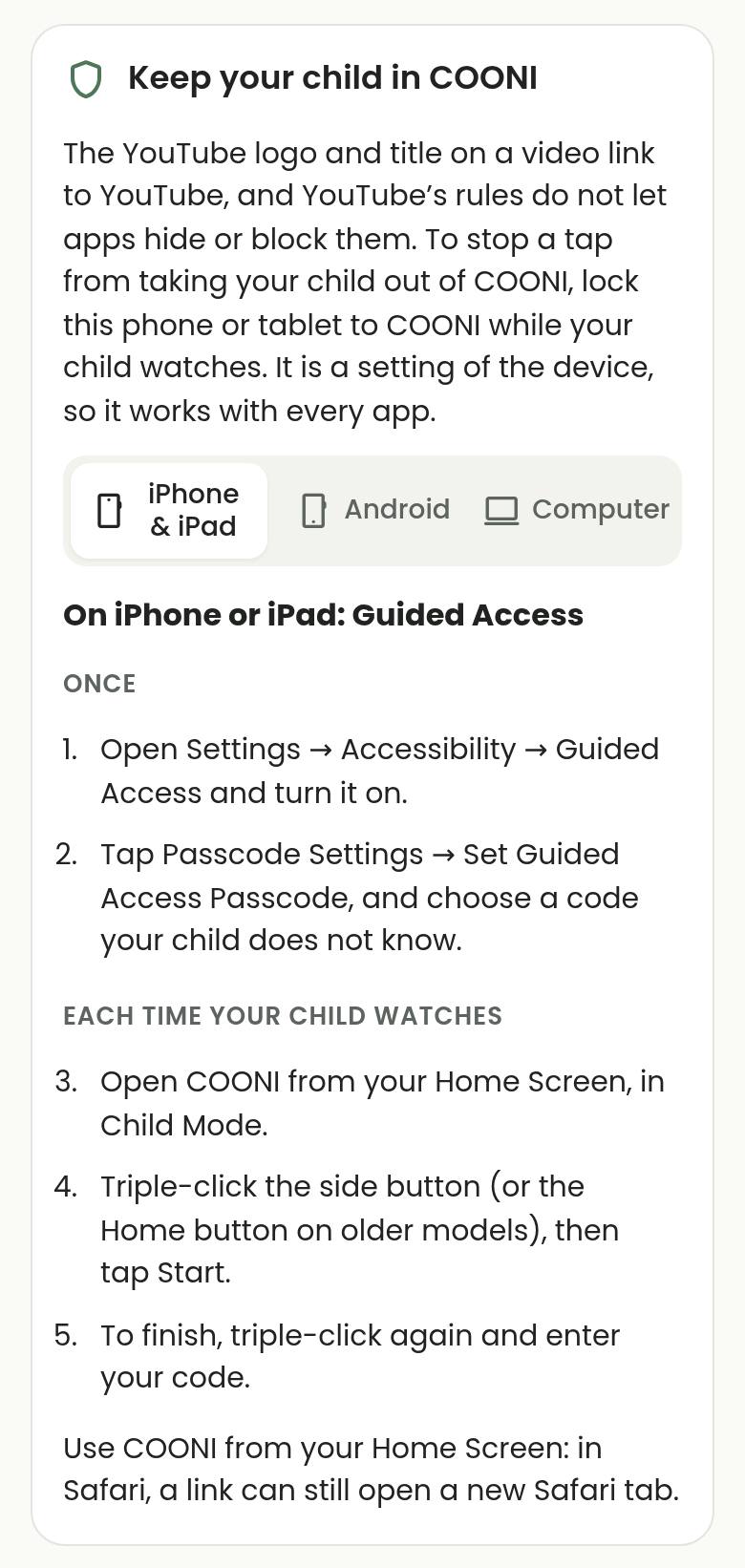
Phones and tablets have a built-in lock for exactly this: Guided Access on iPhone and iPad, and App pinning on Android. Turn it on once, then start it each time your child watches, and the device stays in COONI until you enter your code.
Step by step
Open the steps in COONI
Tap Parent, enter your PIN and open Settings → Keep your child in COONI. COONI shows the steps for the device in your hand; tap iPhone & iPad, Android or Computer to see the others.
Turn the lock on once
On iPhone or iPad: Settings → Accessibility → Guided Access, turn it on and set a Guided Access passcode your child does not know. On Android: open Settings, search for “pin”, turn on App pinning and “Ask for PIN before unpinning”.
Start it each time your child watches
Open COONI from your Home Screen in Child Mode. On iPhone or iPad, triple-click the side button (or Home button) and tap Start. On Android, open recent apps, tap the COONI icon at the top of its window and tap Pin.
Finish with your code
On iPhone or iPad, triple-click again and enter your code. On Android, swipe up and hold (or touch and hold Back and the square button), then enter your PIN.
Questions
What happens if my child taps the YouTube logo anyway?
Without a lock, YouTube opens and the COONI video pauses. When your child comes back to COONI, it says “Welcome back” so they can tap play and keep watching.
Does this work in Safari or Chrome?
Use COONI from your Home Screen. In a browser, the logo can still open a new tab inside the same browser, even while it is locked.
What about laptops and desktop computers?
Computers have no simple lock. A click on the logo opens YouTube in a new browser tab, and COONI pauses until your child comes back to its tab. For young children, a phone or tablet locked to COONI is the safer choice.
Try COONI free · How to use COONI
More guides
- How to block a YouTube channel for kids: Block a YouTube channel so your child never sees its videos, or allow only the channels you trust. Step-by-step with COONI, free.
- How to block certain YouTube videos without blocking the channel: A good kids’ channel can still have one video you would rather skip. Hide just that video and keep the rest of the channel. Free with COONI.
- How to block brainrot on YouTube for kids: Hide fast, nonsense "brainrot" meme videos, scary Halloween clips and pranks on YouTube for your child. Step-by-step with COONI.
- How to hide YouTube Shorts for kids: Stop your child watching endless YouTube Shorts. COONI hides short clips by default, keeps Shorts apart and never plays them automatically.
- A YouTube Kids alternative where parents choose the channels: Looking for a safer YouTube Kids alternative? COONI lets parents pick the channels, hide single videos, block brainrot and set screen time. Free.
- How to set YouTube screen time for kids: Set a daily YouTube time limit for your child, show a countdown timer and end with a friendly "Time for a break!" screen. Step-by-step with COONI.
- How to make YouTube safe for kids: Make YouTube safer for your child: allow only channels you trust, block scary videos and brainrot, hide Shorts and set a daily limit. Free with COONI.
- How to block all YouTube channels except the ones you choose: Let your child watch only the YouTube channels you pick and block every other channel. "Only channels I allow" in COONI, free, step by step.
- How to stop your child watching inappropriate videos on YouTube: Your child found a video you do not like? Block the channel, hide the single video or block the whole topic, step by step with COONI.
- How to see what your child watches on YouTube: See the videos your child watched recently and how long they watched today, then block anything you do not like. Step by step with COONI.
COONI is not affiliated with or endorsed by YouTube or Google.