
How to let your child watch your own family videos
Children love watching themselves: the birthday party, the trip to the beach, the day they learned to ride a bike. Those videos are often stuck in a phone’s camera roll, where a child can scroll into everything else.
With COONI you can put them on your own YouTube channel and allow that channel next to the other channels you trust. Your child then finds their own memories in Child Mode, in the same calm place as the rest of their videos.
One thing to know first: COONI can only show public videos. Public means anyone on YouTube can find them, so choose what you upload with care.
Step by step
Create your own YouTube channel
On YouTube, open your profile and choose Create a channel. Use a family name you are happy for others to see, not your child’s full name.
Upload your videos as Public
Upload the videos you want your child to rewatch and set each one to Public. Private videos never appear in COONI, and unlisted ones may not. YouTube also asks whether a video is made for kids; answer it honestly.
Allow your channel in COONI
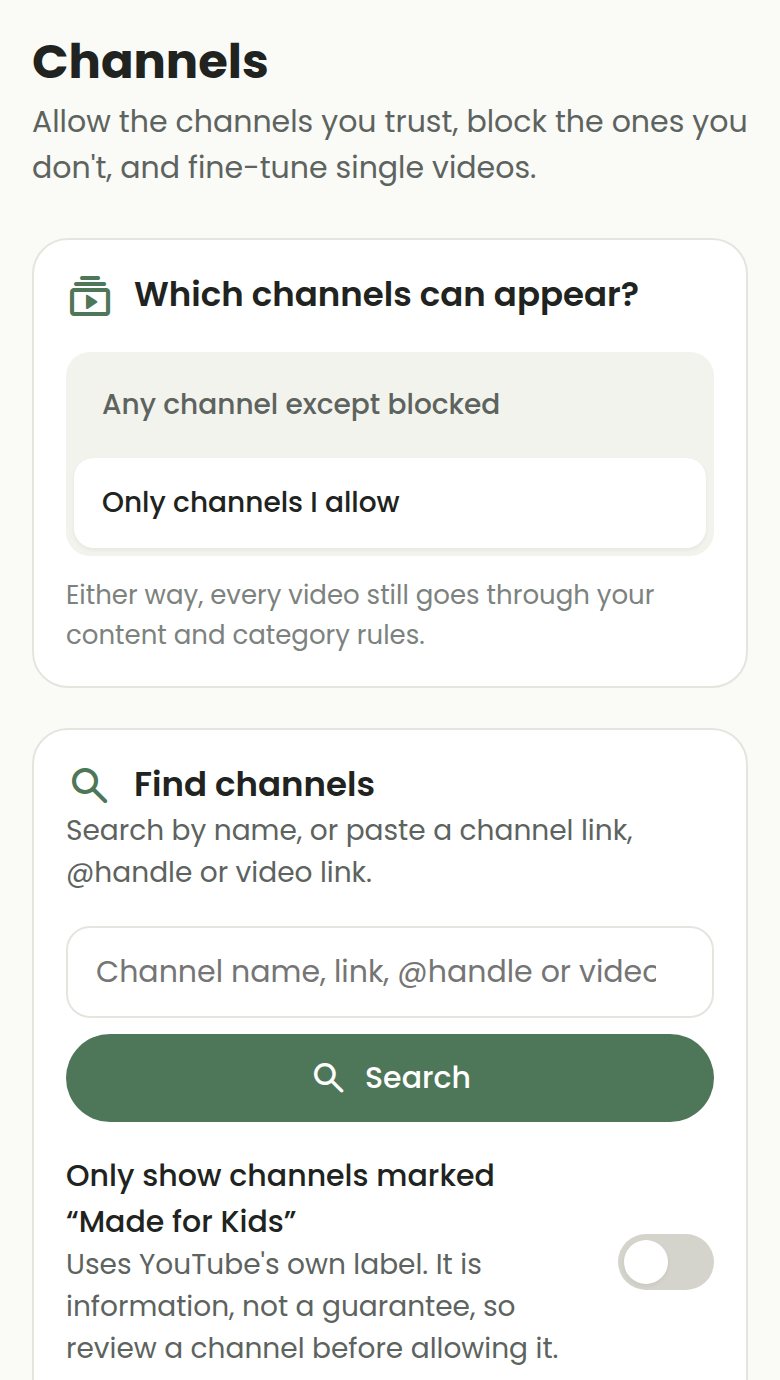
In Parent Mode → Channels, paste your channel link or @handle in the search box and tap Allow. The tip “Add your family’s own videos” on that screen shows the same steps.
Check what your child sees
Your videos still pass your content rules. If one is hidden (for example a “Halloween party” video while the Halloween topic is blocked), open your channel’s videos under Allowed channels and tap Show.
Questions
Can I keep the videos private?
No. COONI shows videos through YouTube’s embedded player and can only show public videos. Private videos never appear, and unlisted ones may not. If a video should stay private, keep it off YouTube.
What should I leave out of public family videos?
Anything that tells strangers who or where your child is: full names, school name or uniform, your home address, and places you visit often. Many parents also skip bath time and other private moments.
Is this free?
Yes. Allowing channels, including your own, is part of the free plan.
Try COONI free · How to use COONI
More guides
- How to block a YouTube channel for kids: Block a YouTube channel so your child never sees its videos, or allow only the channels you trust. Step-by-step with COONI, free.
- How to block certain YouTube videos without blocking the channel: A good kids’ channel can still have one video you would rather skip. Hide just that video and keep the rest of the channel. Free with COONI.
- How to block brainrot on YouTube for kids: Hide fast, nonsense "brainrot" meme videos, scary Halloween clips and pranks on YouTube for your child. Step-by-step with COONI.
- How to hide YouTube Shorts for kids: Stop your child watching endless YouTube Shorts. COONI hides short clips by default, keeps Shorts apart and never plays them automatically.
- A YouTube Kids alternative where parents choose the channels: Looking for a safer YouTube Kids alternative? COONI lets parents pick the channels, hide single videos, block brainrot and set screen time. Free.
- How to set YouTube screen time for kids: Set a daily YouTube time limit for your child, show a countdown timer and end with a friendly "Time for a break!" screen. Step-by-step with COONI.
- How to make YouTube safe for kids: Make YouTube safer for your child: allow only channels you trust, block scary videos and brainrot, hide Shorts and set a daily limit. Free with COONI.
- How to block all YouTube channels except the ones you choose: Let your child watch only the YouTube channels you pick and block every other channel. "Only channels I allow" in COONI, free, step by step.
- How to stop your child watching inappropriate videos on YouTube: Your child found a video you do not like? Block the channel, hide the single video or block the whole topic, step by step with COONI.
- How to see what your child watches on YouTube: See the videos your child watched recently and how long they watched today, then block anything you do not like. Step by step with COONI.
- How to stop your child leaving a kids’ YouTube app: The YouTube logo on an embedded video opens YouTube. Lock your iPhone, iPad or Android device to COONI with Guided Access or App pinning so your child cannot switch apps, and know what the lock cannot stop. Step by step.
COONI is not affiliated with or endorsed by YouTube or Google.