
How to block certain YouTube videos without blocking the channel
Blocking a whole channel is often too much. A channel full of good songs and lessons might have one Halloween special, one video that scares your child, or one that is simply too loud for bedtime.
COONI lets you hide single videos inside a channel you allow. Only that video disappears from Child Mode; the channel and all its other videos stay available.
Step by step
Allow the channel
In Parent Mode → Channels, find the channel and tap Allow. It appears under "Allowed channels".
Open "Manage videos"
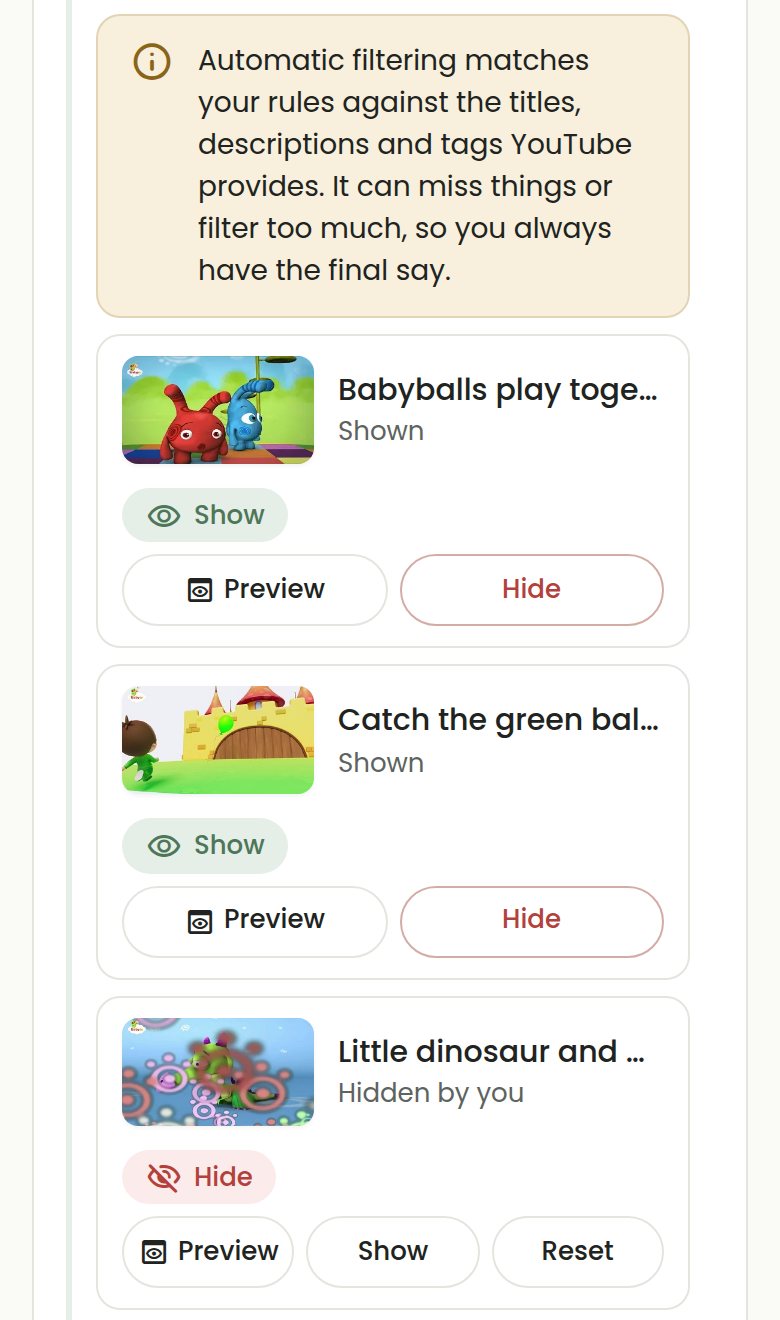
Under "Allowed channels", tap the videos button on that channel to see its videos. Tap Preview on any video to check it before deciding.
Tap Hide on the video
The video is marked "Hidden by you" and is no longer shown in Child Mode. Every other video from the channel stays.
Undo it any time
Tap Show to bring the video back, or Reset to let COONI’s normal rules decide again. Your single-video choices are also listed in Parent Mode → Content under "Your video decisions".
Questions
Is hiding a single video free?
Yes. Allowing channels and hiding or showing single videos are part of the free plan.
Do allowed channels show every video automatically?
No. Videos from an allowed channel still go through your content rules and categories, so a video that matches a blocked topic stays hidden even inside an allowed channel. You can always show it by hand.
Can I hide videos from channels I have not allowed?
With "Only channels I allow", videos from other channels never appear anyway. With "Any channel except blocked", COONI Plus adds Check videos, where you can search YouTube, see what COONI would show and hide or allow single videos.
Try COONI free · How to use COONI
More guides
- How to block a YouTube channel for kids: Block a YouTube channel so your child never sees its videos, or allow only the channels you trust. Step-by-step with COONI, free.
- How to block brainrot on YouTube for kids: Hide fast, nonsense "brainrot" meme videos, scary Halloween clips and pranks on YouTube for your child. Step-by-step with COONI.
- How to hide YouTube Shorts for kids: Keep endless YouTube Shorts away from your child. COONI hides short clips by default, keeps Shorts apart and never plays them automatically.
- A YouTube Kids alternative where parents choose the channels: Looking for a safer YouTube Kids alternative? COONI lets parents pick the channels, hide single videos, block brainrot and set screen time. Free.
- How to set YouTube screen time for kids: Set a daily YouTube time limit for your child, show a countdown timer and end with a friendly "Time for a break!" screen. Step-by-step with COONI.
COONI is not affiliated with or endorsed by YouTube or Google.